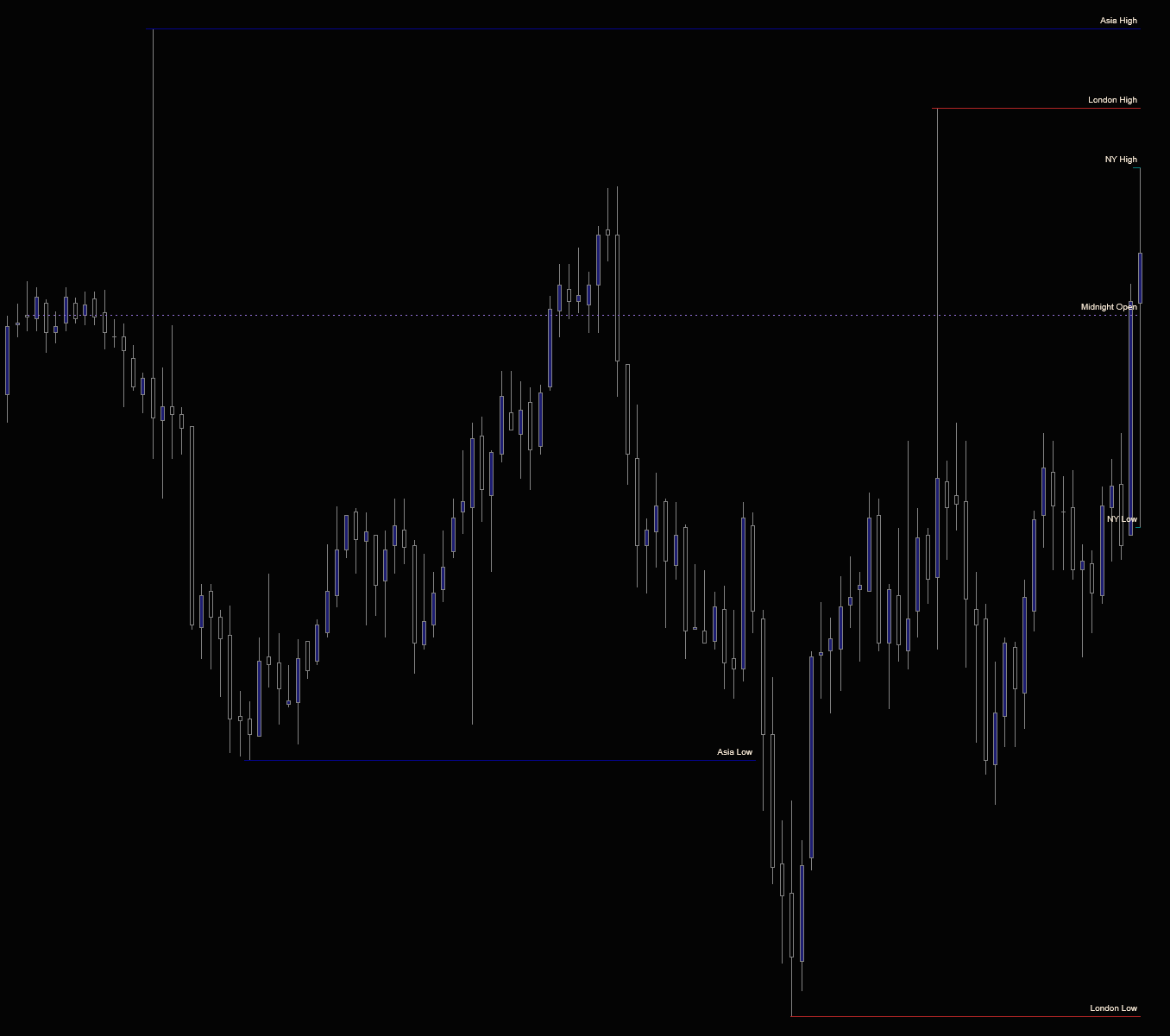
Asia, London, and New York session highs and lows. The midnight open. Previous-day equilibrium. The boundaries every ICT model is built around. Calculated automatically from exchange-time sessions, drawn on every chart that loads. Two versions: a full historical indicator for background charts, and a Lite version for execution charts. No trial, no expiration, no email needed beyond delivery.
The full indicator. Apply it to a background chart with a larger amount of historical data loaded. It calculates every session boundary and makes the levels available to Session Levels Lite on your execution charts.
A pure renderer for your execution chart. Zero computation of its own — it reads the levels the full version calculates and draws them with no processing overhead, even on Tick Replay or fast bar types. Needs the full version running on a background chart of the same instrument in the same workspace; until it finds one, it shows a “Producer Not Found” notice instead of silently drawing nothing.
Asia, London, and New York sessions are detected automatically based on exchange times. No manual configuration required. Just apply and go.
The midnight ET open and previous day’s 50% equilibrium are calculated and plotted alongside session levels. Key references for intraday bias.
Run the full version on a background chart and Lite on your execution chart. All the levels, none of the processing overhead where it matters most.
ES, NQ, CL, YM, or any instrument on any NinjaTrader-compatible data feed. Rithmic, CQG, Kinetick. All supported.
Beyond the big three, the full version also tracks the NY Lunch and Globex-open session ranges, and drops dashed vertical lines at each NY hour mark (9:00–16:00 ET, DST-aware). Every session and the hour lines toggle independently.
Every level — all five session highs and lows, the midnight open, and previous-day equilibrium — is exposed as a Strategy Builder plot. Build automated rules against session boundaries without writing code. Broken levels are tracked, so stale lines don’t ghost your chart.
Both Session Levels and Session Levels Lite are included. No credit card, no trial period, no strings.
We’ll send the download link and occasional updates about new free tools. Unsubscribe anytime.
| Requirement | Details |
|---|---|
| Platform | NinjaTrader 8 on Windows. |
| Data feed | Any NinjaTrader-compatible data feed. Rithmic, CQG, Kinetick, etc. |
| Setup | Apply Session Levels to a background chart, then Session Levels Lite to your execution chart. Both charts must be the same instrument, in the same workspace — Lite reads its levels from the full version and displays “Producer Not Found” until one is running. Both indicators are included in the download. |
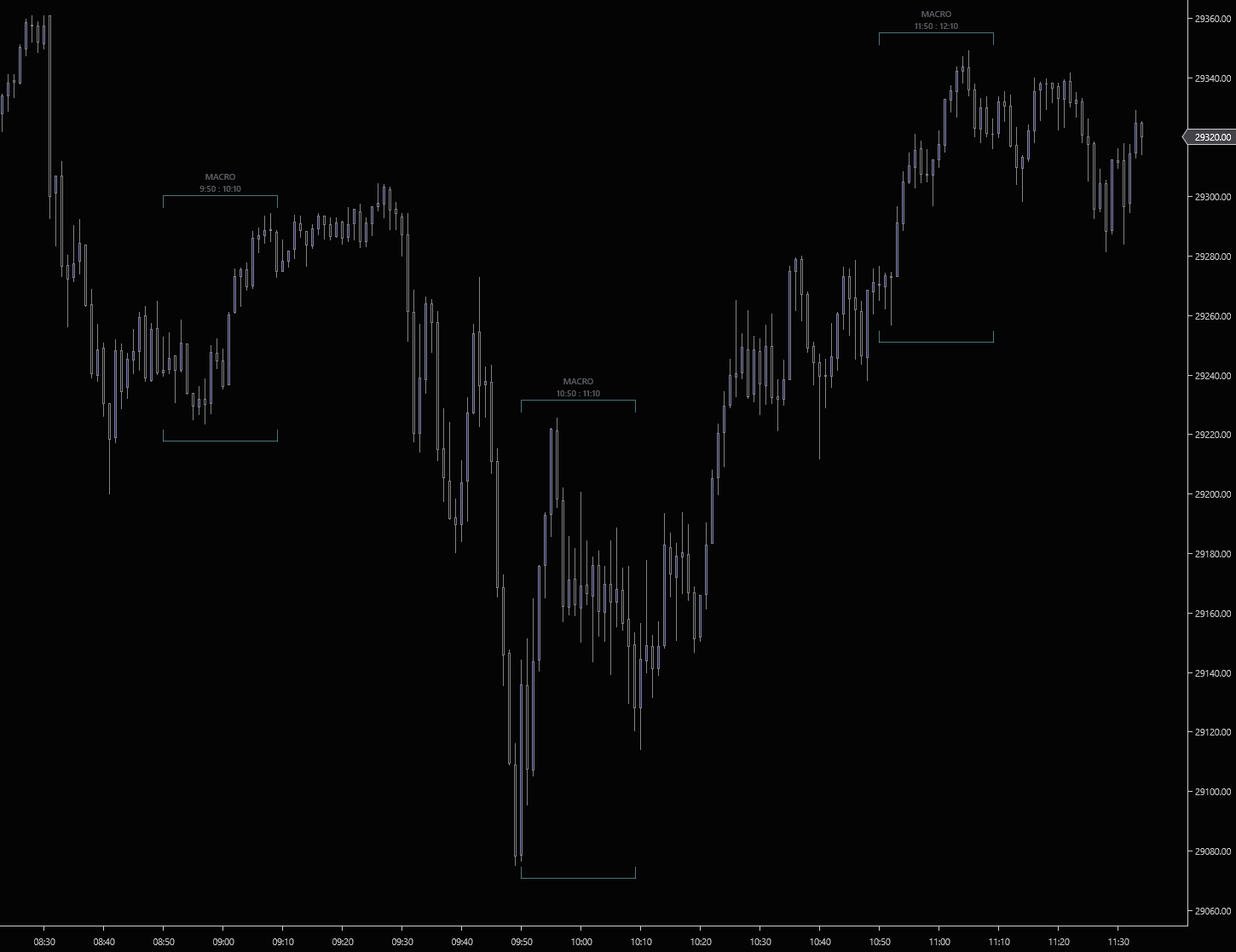
Every 20-minute macro window from the overnight session through the close, 2:50 pre-market, AM-1, AM-2, Lunch, PM, the 15:15 close macro, and every hourly :50 macro across the trading day.
Toggle each window independently. Run a clean NY-only chart, or enable the overnight macros for Asia/London handoff traders.
Bar timestamps are normalised to ET before any window check. Brackets render at the correct times no matter what timezone NinjaTrader is set to.
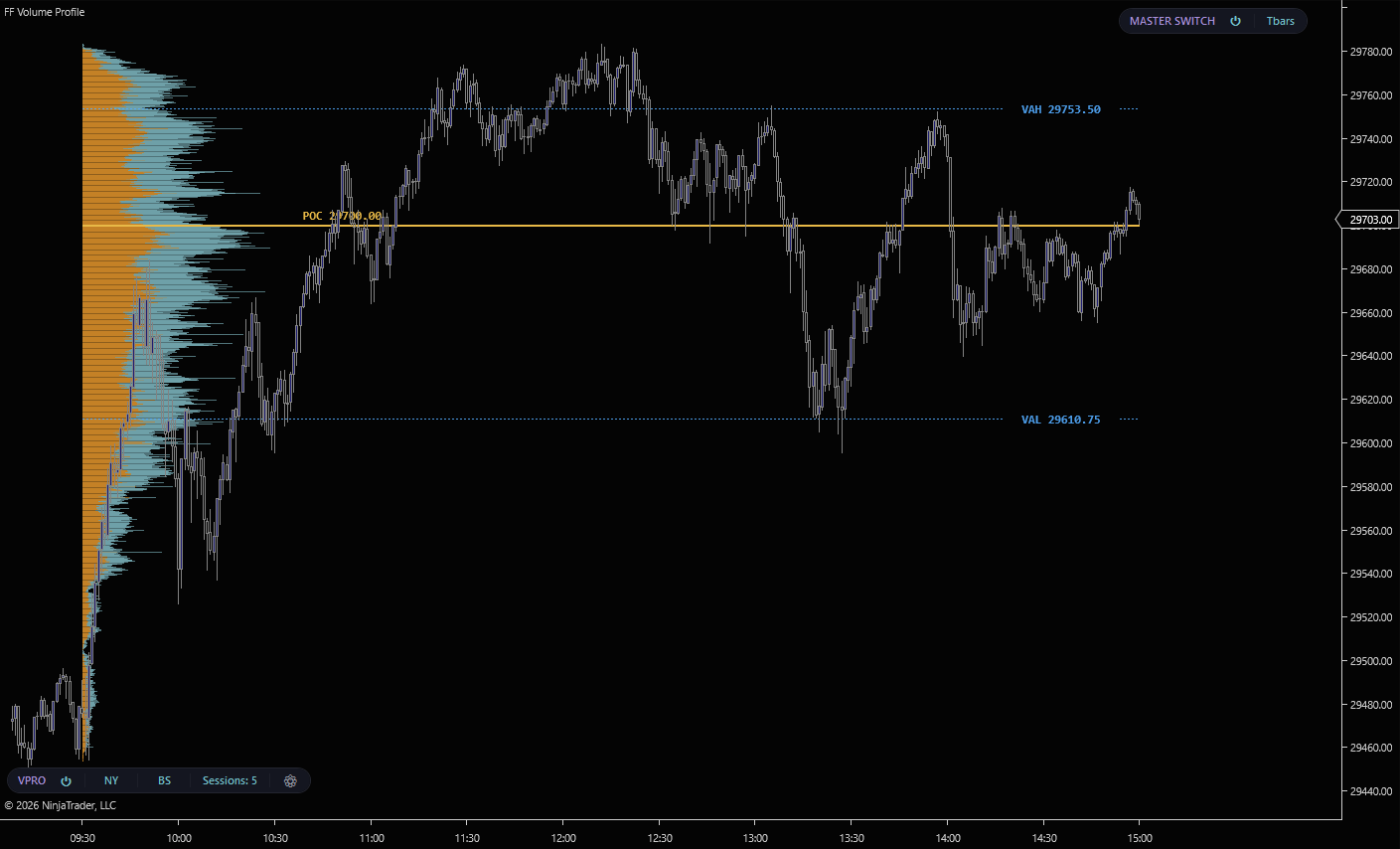
NY (09:30 ET), London (03:00 ET), Asia (18:00 ET), or Overnight (Asia + London combined). All four accumulate in parallel from raw ticks. Flipping between sessions is instant.
Volume (classic total), BuySell (aggressor split per row), or Delta (net imbalance per row). Switch live from the toolbar pill.
Every completed session profile stays on the chart. Scroll back through weeks of sessions and see every prior POC and Value Area where they printed.
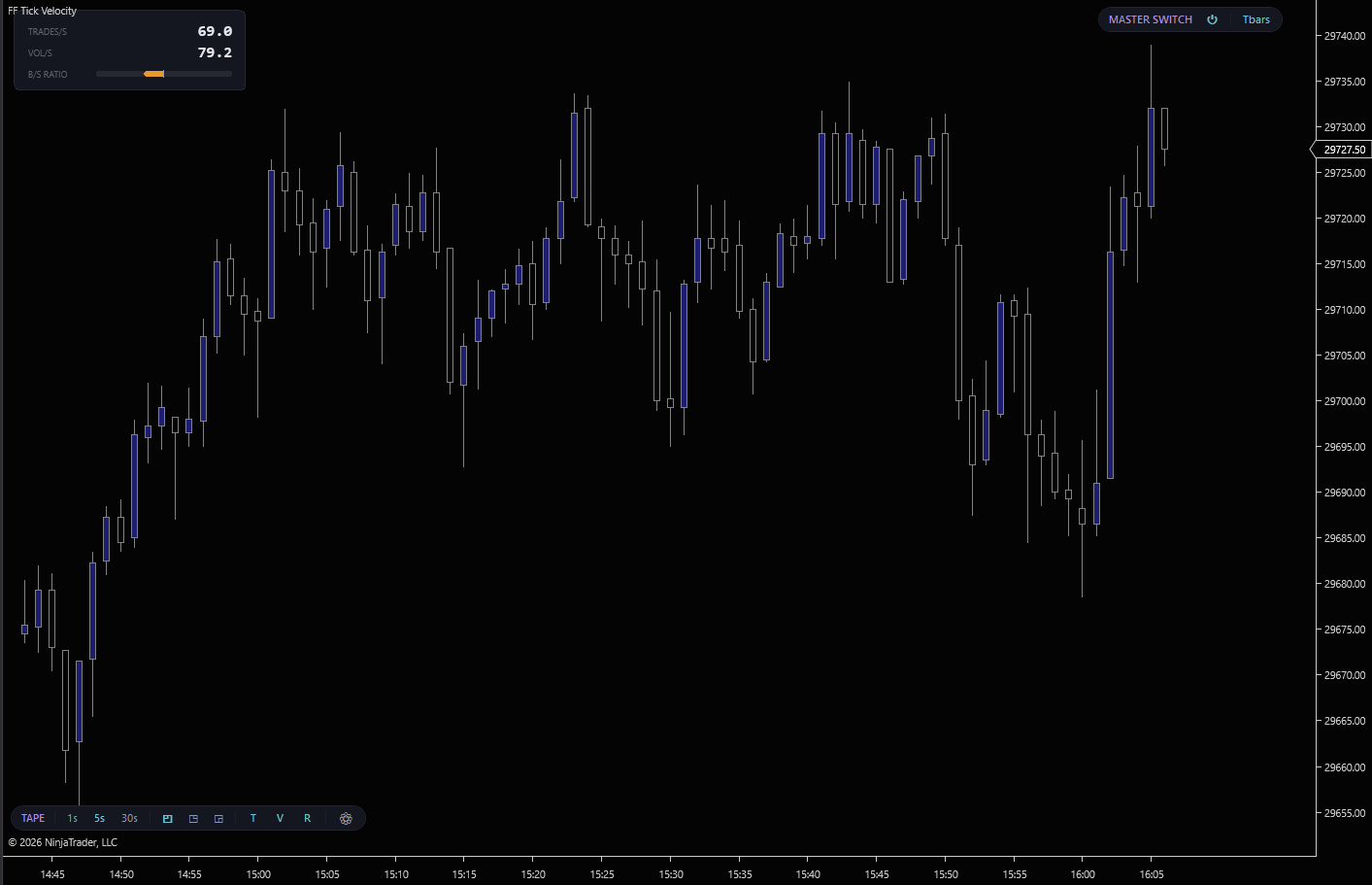
Trades per second, volume per second, and a buy/sell aggressor ratio bar. Read the tape's pace and direction without leaving the chart.
Three rolling aggregation windows, switchable from the toolbar pill. Scalp on 1s, read steady tempo on 5s, catch regime shifts on 30s.
Aggressor classification computed from Level 1 tape data. Price-at-ask is a buy, price-at-bid is a sell. Works with any standard NinjaTrader data feed.
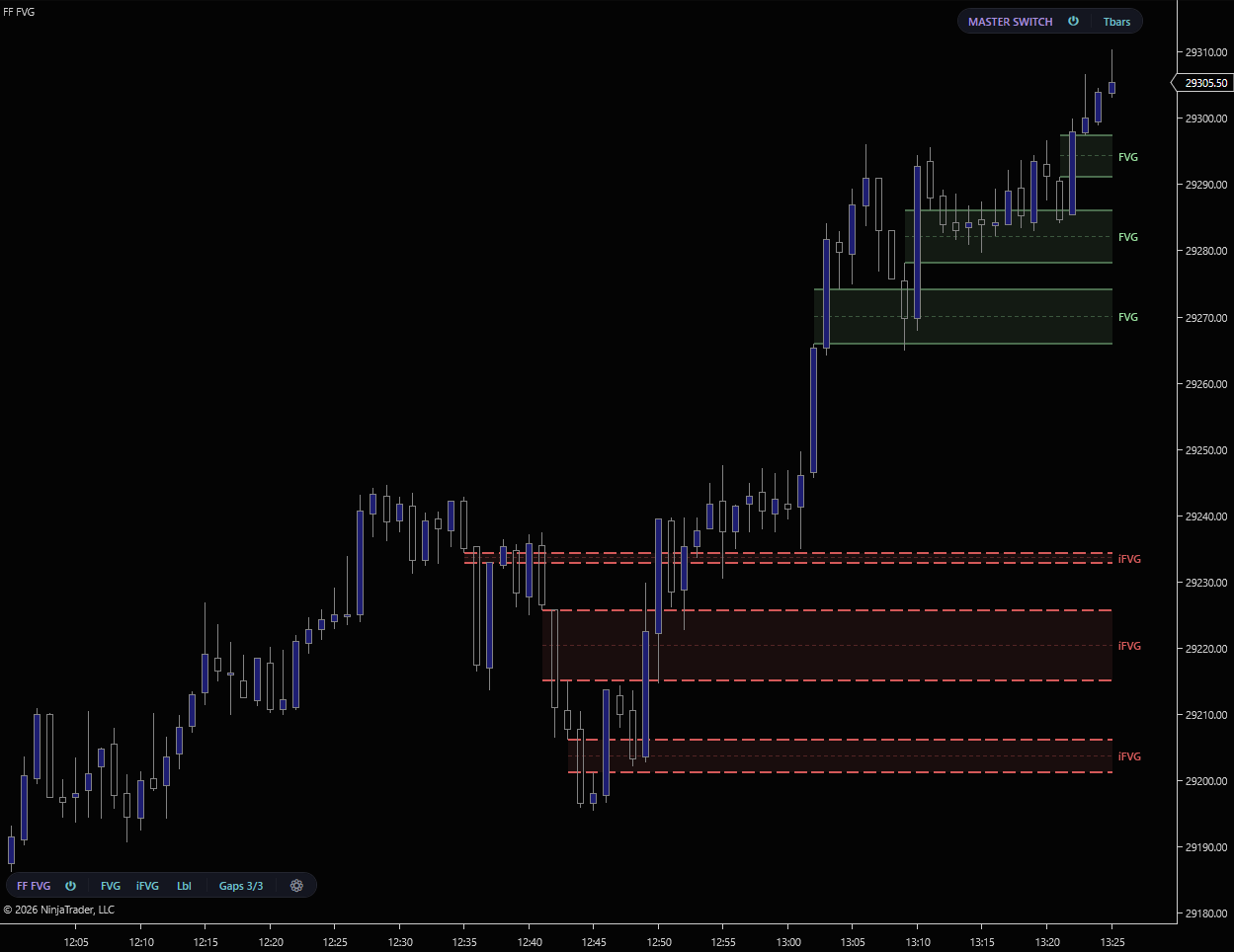
Detects three-bar FVG inefficiencies on both sides, confirmed at the bar close, with a minimum-gap-size filter in ticks to ignore noise.
Tracks each gap until price mitigates it by wick or close, then re-renders the mitigated gap as an inversion FVG with a dashed brighter border.
Classic through Slate plus Custom, with FVG/iFVG/Labels toggles and render-cap controls on the chart toolbar.
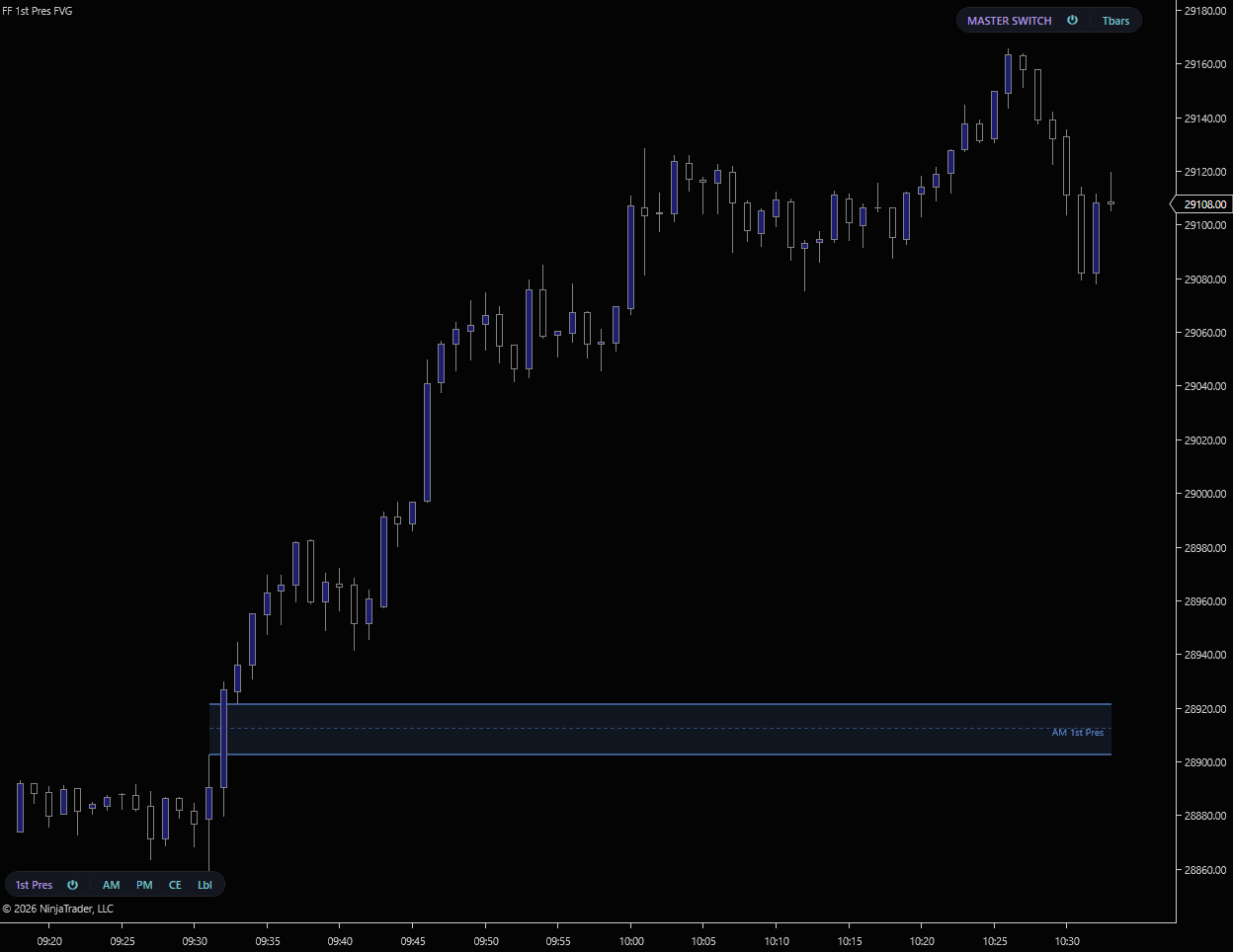
Tracks each session independently and keeps only the first valid gap after its open, with a minimum-size filter so noise never gets claimed as the first presentation.
A background 1-minute series drives detection, so you get the exact same zone on a 1m, 5m, tick, or range chart. Extended to the 16:00 ET close.