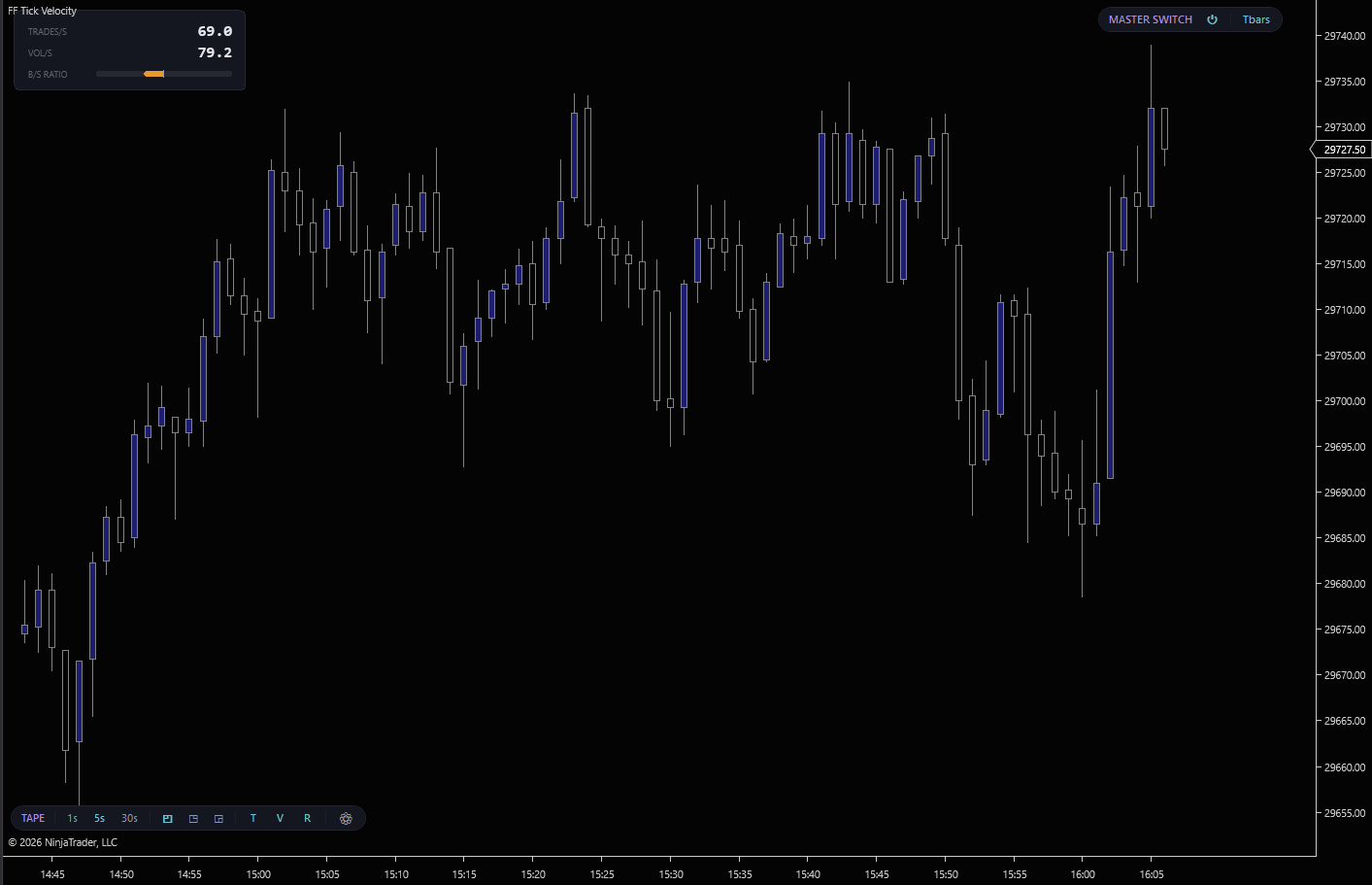
Trades per second. Volume per second. The buy-vs-sell aggressor ratio. Tick Velocity puts the pace of the tape on the chart as a floating HUD, 1-second for scalping the auction, 5-second for steady tape reading, 30-second for catching regime shifts inside the macro. Three corners, three windows, every metric toggleable. Reads the tape without the separate Time & Sales window.
Switch the aggregation window with one click on the chart toolbar. 1s for scalping the auction, 5s for steady tape reading, 30s for catching slower regime shifts.
Pin the HUD wherever it stays out of the way. The corner toggle on the pill lets you move it without opening settings. Useful when a moving setup needs the corner the HUD was sitting in.
Show or hide Trades, Volume, and Ratio independently. Run a minimalist single-metric HUD or the full three-row read. Live-toggleable, no restart.
Every trade is classified as buy, sell, or neutral the moment it prints. Buys hit the ask, sells hit the bid, mid-prints are counted in trades but excluded from the ratio. Pure Level 1 tape. No Order Flow+ subscription needed.
Bucketing is keyed on the exchange tick timestamp, not your PC's clock. The HUD reads correctly whether NinjaTrader is set to ET, CT, UTC, or any other timezone. The second boundaries always align with the exchange's tape.
Window (1s/5s/30s), corner (TL/TR/BR), and per-metric toggles (T/V/R) all live on a "TAPE" pill on the chart toolbar. No dialog, no restart. Settings gear opens the rest.
Direct2D rendering with cached brushes. Zero flicker, zero allocation per tick. The HUD updates as fast as the chart refreshes without dropping a frame on a moving tape.
Stays active when the chart tab is hidden. Switch to another tab, come back, and the velocity read picks up exactly where you left it. Consistent with how CVD and VWAP behave during workspace navigation.
The "TAPE" pill participates in the unified FlowForged toolbar system. Master Switch toggle, draggable reorder, keyboard shortcut. Stack it alongside Hammer and Volume Profile for a complete tape-reading setup.
Tick Velocity is free. No credit card, no trial period, no strings.
We’ll send the download link and occasional updates about new free tools. Unsubscribe anytime.
| Requirement | Details |
|---|---|
| Platform | NinjaTrader 8 on Windows. No Order Flow+ subscription required. |
| Data feed | Any NinjaTrader-compatible Level 1 feed. Rithmic, CQG, Kinetick, etc. Aggressor classification is computed from each trade's bid/ask snapshot in the tick stream. |
| Chart type | Any time-based, tick, range, or volume chart. The HUD is rendered as a chart overlay; the underlying bar period doesn’t affect its readings. |
| State | Real-time only. The HUD intentionally hides while NinjaTrader loads historical bars. Velocity metrics are live-tape readings, not chart history. |
Tick Velocity tells you the pace. The FlowForged suite tells you what the pace is producing. Hammer marks the institutional size hitting the level, Anvil shows the resting walls in front of it, Refine grades the FVG that’s about to fill, Flux marks the moment the orderflow rolls over. Pace plus action.