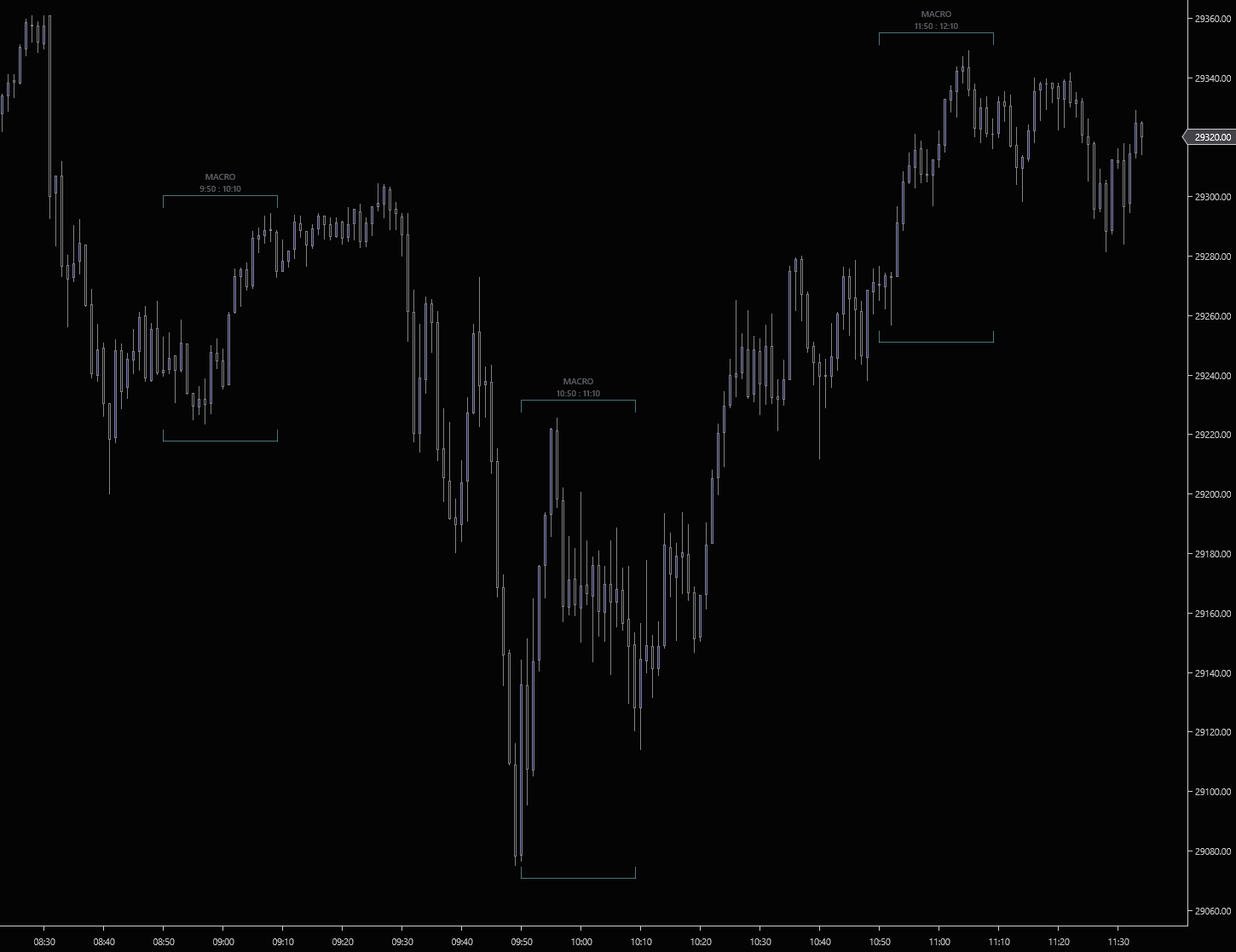
9:50, 10:50, 11:50, 1:10. Every ICT macro window is the same 20-minute span every day, and the one you forget is the one price moves on. ICT Macros brackets all 23 standard macro windows directly on the chart so you stop watching the clock and start watching the chart.
The eight standard intraday macros below are on by default. Fifteen additional overnight and after-hours macros are included. Toggle any of them on per chart.
Each macro draws as a U-shaped bracket that wraps the high and low of price action inside the window. The brackets dynamically size to whatever price did during the macro. Tight on quiet windows, wide on the ones that moved.
A compact label sits above each bracket showing "MACRO" and the exact time range (e.g., "9:50 : 10:10"). Identify any macro at a glance. No mousing over to check.
Pick any color for the bracket lines. Set the line opacity from 10% to 60% so the brackets stay readable without dominating price action. Steel-cyan by default.
Every 20-minute macro window from the overnight session through the close is included. The pre-market 2:50, every hourly :50 through the afternoon, the lunch transition, and the 15:15 close macro.
Each macro can be toggled on or off independently. Run a clean NY-session-only chart, or enable the overnight macros for traders who follow the Asia and London handoffs.
Bar timestamps are normalised to ET before any window comparison. Brackets render at the correct times whether your NinjaTrader platform is set to ET, CT, UTC, or anything else. No DST nightmares.
Bracket frames are drawn through Direct2D. Zero flicker, zero per-frame allocations, no performance hit even with all 23 windows enabled across days of history.
Flip the "show only today" property on and the indicator stops rendering brackets for previous sessions. Perfect for an execution chart that only cares about the macros happening today.
Tick, range, second, or minute charts. Bar timestamps are read directly so brackets land on the right bars regardless of chart type or aggregation period.
ICT Macros is free. No credit card, no trial period, no strings.
We’ll send the download link and occasional updates about new free tools. Unsubscribe anytime.
| Requirement | Details |
|---|---|
| Platform | NinjaTrader 8 on Windows. |
| Data feed | Any NinjaTrader-compatible data feed. Rithmic, CQG, Kinetick, etc. |
| Chart type | Any time-based, tick, range, or volume chart. Bar timestamps drive bracket placement, not bar count. |
| Setup | Import through NinjaTrader’s indicator import. Apply ICT Macros to any chart and the default macros render automatically. Toggle individual windows via the property grid. |
ICT Macros tells you when the algorithm is hunting liquidity. The FlowForged suite tells you who’s hunting it. Institutional size on Hammer, walls being drawn on Anvil, SMT confirmation on Forge, the FVGs that survive on Refine, the displacement chain on Displace. Same macro window. Five layers of confirmation.