The first Fair Value Gap to print after the AM and PM opens is the one ICT traders watch most. 1st Presentation FVG finds it for you — the first gap after 09:31 ET and the first after 13:31 ET — built from 1-minute data no matter what timeframe your chart runs, then extended to the NY close so the level stays in front of you all session.
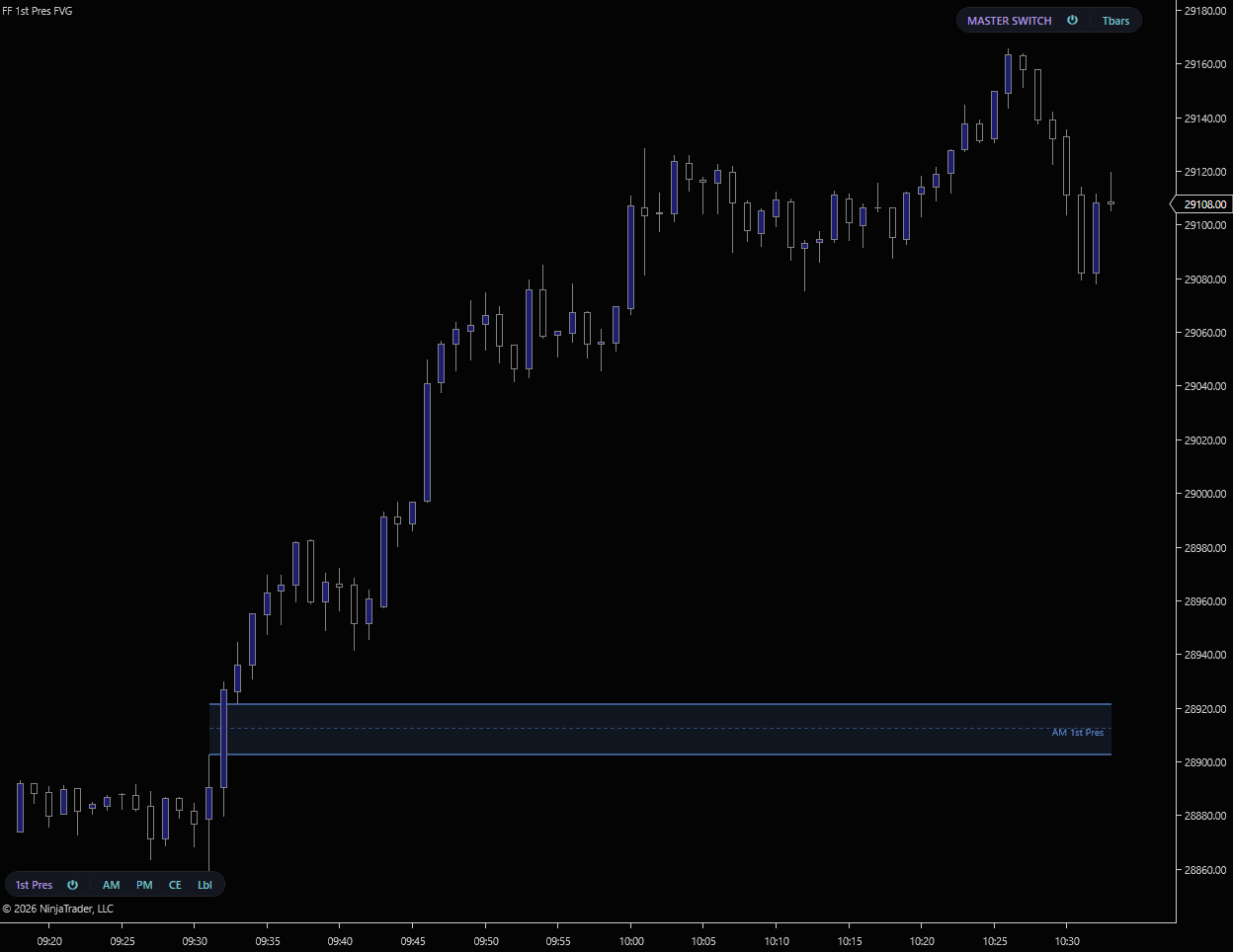
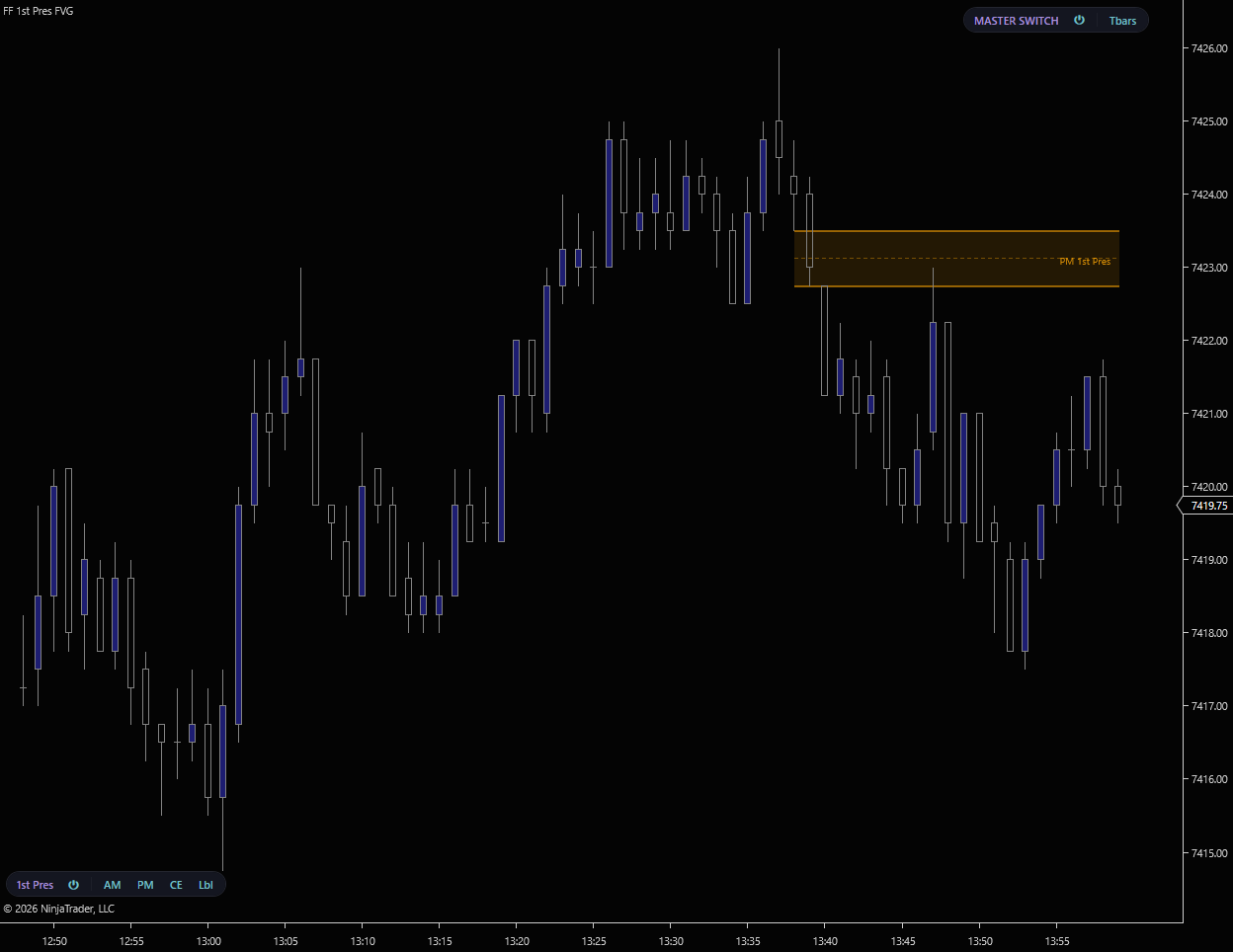
The first-presentation FVG is a 1-minute concept. This indicator pulls a 1-minute series in the background and detects the gap there, so you get the exact same zone whether your chart is 1m, 5m, a tick chart, or a range chart. No need to keep a separate 1-minute chart open.
Only the first valid gap after each open is kept. A minimum gap size in ticks filters out noise so a one-tick blip doesn’t get claimed as the first presentation. AM and PM are tracked independently.
Each zone extends from the bar it formed on through the 16:00 ET session close, so the level stays drawn in front of price for the rest of the session as a reference for entries and targets.
Pick the look that separates these zones from your other FVG overlays at a glance. Switchable in settings.
Separate detection and styling for the AM (09:31 ET) and PM (13:31 ET) first-presentation gaps. Show one, the other, or both from the toolbar.
AM start, PM start, and the NY end time are all adjustable, so you can align the windows to your own session model if it differs from the defaults.
A background 1-minute series drives detection, so the zone is identical on every chart type. Apply it once on your execution chart and trust the gap.
Independent fill, border, opacity, and label color/position for AM and PM, so the two sessions never get confused on the chart.
Power, AM, PM, CE, and Labels all live on a pill in the chart toolbar. Part of the FlowForged Master Switch system that toggles every FF overlay at once.
Direct2D rendering with cached brushes and stroke styles keeps the zones, edges, and labels painting smoothly with no overhead on your chart.
1st Presentation FVG is free. No credit card, no trial period, no strings.
We’ll send the download link and occasional updates about new free tools. Unsubscribe anytime.
| Requirement | Details |
|---|---|
| Platform | NinjaTrader 8 on Windows. No Order Flow+ subscription required. |
| Data feed | Any NinjaTrader-compatible data feed. Rithmic, CQG, Kinetick, etc. |
| Trading hours | Use an ETH (24-hour) Trading Hours template so the chart includes the full RTH session and the indicator can anchor the AM and PM windows correctly. |
| Tick Replay | Not required. The indicator adds its own 1-minute series for detection and runs on standard chart data. |
1st Presentation FVG marks the opening gap of each session. Pair it with the free FVG indicator for every three-bar gap, then step up to the suite — Refine validates gaps against relative volume and HTF FVG projects higher-timeframe gaps onto your chart.